

Cloud Computing and Autodesk: A Simple Guide to Modern Design in the Cloud

Cloud computing has quietly woven itself into almost every part of our digital lives, whether we notice it or not. It powers our streaming services, social media, online banking, and even the mobile apps we rely on daily. But one area where cloud computing has made some of the biggest transformations is in the world of design, engineering, and construction.
This is where Autodesk, a global leader in design and engineering software, has taken cloud technology and used it to reshape how people work, collaborate, and build. For decades, Autodesk tools like AutoCAD and Revit helped architects and engineers create detailed 2D and 3D designs. But with cloud computing, these tools have become even more powerful, flexible, and accessible. This blog post explains everything you need to know
What Is Cloud Computing?
Cloud computing is a way to use the internet to access tools, data, and services instead of relying on your computer’s storage or processing power. Think of it like renting instead of owning: companies rent space on powerful servers instead of buying them, you store files online instead of just on your laptop, and you use software through a web browser rather than installing it locally.
Everyday examples of cloud computing include Google Drive, Dropbox, Gmail, Netflix, and online photo albums. With cloud computing, people and businesses can work faster, store more, collaborate easily, and keep their data safe; even if their devices stop working.
How Autodesk Uses Cloud Computing
Autodesk was once known mainly for desktop software, but the company now offers a strong lineup of cloud-based tools designed for design, engineering, manufacturing, and construction. These tools allow professionals to work from anywhere, on any device, while collaborating in real time. Here’s how Autodesk applies cloud computing across its ecosystem.
1. Autodesk Cloud Storage and Collaboration Hubs
Autodesk offers cloud-based storage that acts like a central “home” for all your project files. Instead of keeping drawings, 3D models, or drafts on one computer or a USB drive, everything is stored securely online, backed up, and always accessible.
Platforms like BIM 360 and Autodesk Construction Cloud are especially useful for construction teams, helping them share documents, track progress, manage safety, and reduce miscommunication. For individual users or small teams, tools like Autodesk Drive and Autodesk Docs store AutoCAD files, Revit projects, Inventor models, and more; making collaboration simple and safe without any special hardware.
2. Cloud-Based Software
Autodesk’s cloud-powered tools let you design, model, and collaborate without heavy installations or high-end computers. Fusion 360, for example, combines CAD, CAM, and CAE in one platform, letting engineers, product designers, and makers create 3D models, run simulations, and generate manufacturing toolpaths; all from the cloud.
AutoCAD Web and Mobile make it easy to review and edit drawings on the go, while Revit Cloud Worksharing allows architects to work on the same building model at the same time, no matter where they are. Cloud-based software ensures that even lightweight laptops can handle complex designs, making professional-grade tools accessible to more people.
3. Cloud Rendering
Rendering 3D designs into realistic images or videos usually takes hours or even days on a standard computer. Autodesk’s cloud rendering services change that by sending rendering tasks to powerful cloud servers. This frees up your computer, speeds up results, and removes the need for expensive hardware. For small businesses, solo designers, or anyone without access to high-end machines, cloud rendering is a game-changer, allowing you to produce professional-quality visuals quickly and efficiently.
4. Automation and AI in the Cloud
Autodesk leverages cloud-based AI to make design and construction smarter and faster. Features like automated clash detection, AI-powered design suggestions, automated quantity takeoffs, and smart project delay predictions rely on the cloud to process large datasets and complex calculations.
Even generative design, which creates multiple design options based on user goals, depends on cloud computing. Combining AI with cloud power, Autodesk helps teams make better decisions, reduce errors, and speed up project delivery without needing supercomputers on-site.
Why Cloud Computing Is Important for Autodesk Users
Work From Anywhere
With cloud computing, your Autodesk tools and files are no longer tied to a single computer. Whether you’re at the office, working from home, or visiting a construction site, you can access your designs instantly. Need to design a building, collaborate on product engineering, or review drawings with clients? The cloud makes all of this easier and more flexible, letting you stay productive no matter where you are.
Team Collaboration Becomes Seamless
Collaboration is often one of the biggest challenges in design and construction projects, but cloud computing solves it. Everyone on the team sees the latest version of files, changes are tracked in real time, and multiple people can edit at once. This reduces mistakes caused by outdated drawings, improves communication, and helps project teams stay on the same page, saving time and building trust.
Lower Hardware Costs
Traditional Autodesk software often required powerful, expensive computers to run smoothly. Cloud-based tools reduce or even eliminate that need, because heavy processing happens online, files are stored in the cloud, and rendering is offloaded to cloud servers. This makes Autodesk tools more affordable for students, small startups, and even freelancers who don’t have high-end hardware.
Stronger Security and Backups
Cloud computing also makes your files safer. Autodesk cloud platforms provide data encryption, automatic backups, version history, permission-based access, and disaster recovery. This means no more worrying about losing files if a computer fails, controlling who can see or edit projects, and protecting your work from unauthorized access. Autodesk’s cloud security investments make storing files online more reliable than keeping them locally.
Faster Workflows and Better Performance
Because cloud servers are extremely powerful, Autodesk users enjoy faster processing, quicker loading of large files, rapid rendering, and smooth simulations. These speed improvements mean projects move faster, workflows become more efficient, and teams can focus on design rather than waiting on their computers. Businesses that adopt cloud-based Autodesk tools often see a noticeable boost in productivity and project delivery.
Who Benefits Most from Autodesk Cloud Computing?
- Architects: Cloud computing allows architects to collaborate seamlessly on Revit models, access drawings on-site, and review designs with clients from anywhere. No matter if they’re in the office or on a construction site, architects can stay connected to their projects, make real-time changes, and ensure designs are always up to date.
- Engineers: For engineers, cloud-based Autodesk tools make simulations faster, rendering more efficient, and sharing complex models easier. Whether it’s mechanical, civil, or electrical engineering, the cloud helps teams work together on detailed projects without worrying about hardware limitations.
- Construction Teams: Construction teams benefit from instant access to updated plans, which reduces mistakes, delays, and miscommunication. With Autodesk Construction Cloud or BIM 360, teams can track project progress, manage safety issues, and collaborate effectively, even across multiple sites.
- Manufacturers and Product Designers: Tools like Fusion 360 give manufacturers and product designers a full cloud-based workflow, from designing and simulating products to preparing them for manufacturing. Cloud computing ensures that everyone on the team, whether in design or production, stays in sync and can work efficiently from any location.
- Students and Educators: Cloud-based Autodesk tools make learning easier, more affordable, and accessible. Students can access professional-grade software without needing expensive hardware, and educators can create collaborative, real-world projects that prepare learners for modern design and engineering workflows.
- Small Businesses: Small businesses gain a big advantage from cloud computing because they don’t need to invest heavily in high-end computers or IT infrastructure. With cloud tools, even lean teams can handle complex projects, collaborate in real time, and compete with larger firms without breaking the budget.
Examples of Autodesk Cloud Uses
Construction Companies
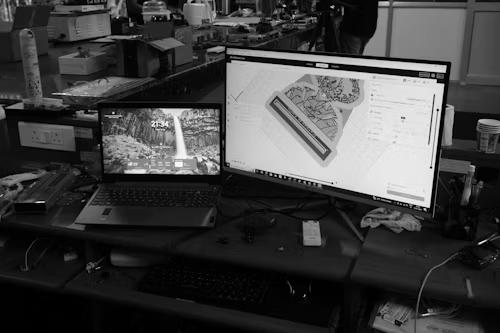
Large construction projects rely on precise coordination, and Autodesk Construction Cloud makes it possible. Teams can track project progress, prevent design conflicts, manage documentation, and improve safety compliance all from a centralized online platform. With everyone accessing the same up-to-date information, costly mistakes are reduced, and projects stay on schedule.
Product Designers
Product designers using Fusion 360 can create prototypes, run simulations, generate manufacturing-ready files, and collaborate with clients; all without needing expensive hardware. Cloud computing makes it easy for designers to work on complex projects from anywhere, speeding up development and reducing costs.
Architects Running Remote Offices
For architects, cloud worksharing allows multiple office locations to work on a single building model in real time. Teams can review changes, coordinate designs, and ensure every member sees the latest updates, even if they are miles apart. This flexibility keeps projects moving smoothly and enhances collaboration across distributed offices.
Contractors On-Site
Contractors benefit from cloud access through mobile apps, which let them open updated drawings and add markups directly from phones or tablets. This real-time access prevents mistakes, ensures everyone is on the same page, and allows on-site teams to respond quickly to changes, saving time and reducing errors.
The Future of Autodesk and Cloud Computing
The future of Autodesk is all about making cloud computing smarter, faster, and more connected. With advancements like more powerful AI tools, faster cloud rendering, deeper collaboration features, increased project automation, and digital twins that provide real-time digital versions of buildings, Autodesk is transforming how professionals design, build, and manufacture. As these cloud capabilities evolve, users can expect tools that are even more intuitive, efficient, and capable of handling complex projects from anywhere.